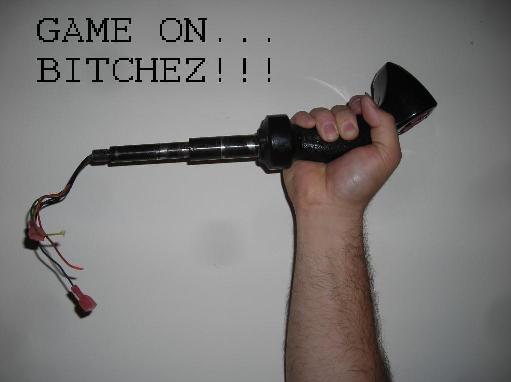
Got a new Canon Power Shot S95 so here is a mandatory walk through with all the games turned on. Enjoy.
Monday, November 22, 2010

Thursday, November 18, 2010
Arturo's Arcade Lab - Home of SPACE PARANOIDS

We finally have a working prototype.

The trigger fires, and either top button centers the tank. 2-1/4" trackball on the left works like a mouse, I will probably reverse the Y-axis, which I think is more intuitive for aiming. Player 1 and 2 buttons, plus Continue and New Game buttons on the right.

Old Defender cabinet was a Mortal Kombat conversion when I got it. I will try a few other cabinets styles in the future. This one will be running at my TRON after-party in December.
UPDATE:
I was able to get the Space Paranoids game to reside on the hard drive so this machine no longer needs internet access to be playable.
Wednesday, November 17, 2010
Bubble Bobble in a Williams cabinet
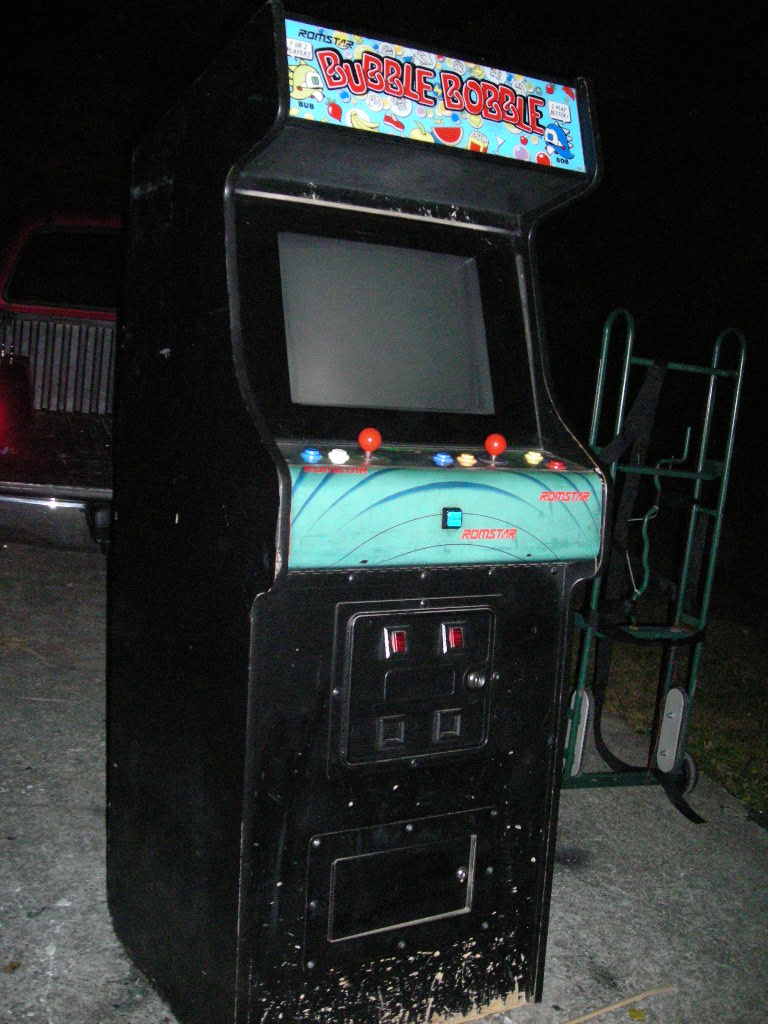
I extracted this non-working Bubble Bobble from a daycare facility as part of a trade for a working game. Upon closer inspection, the cabinet seems to be an alternate style Robotron. I can see the outline of the Robotron sideart under the black latex paint.

It's been a while since this poor sod has been cleaned and vacuumed.

NASTY!!!

Monitor still works, and is in very decent shape. I cleaned the dirt off the screen and the image is clear and bright, very moderate burn-in.

Well I measured the voltages, and strangely, it measures +12Vdc where the supply is labeled +5Vdc. And I measured +5Vdc where it says +12Vdc. I get nothing on -5Vdc.
I swap out the power supply with a good one, connect the rails, and the thing comes to life. Board is good, monitor is good, working game!!!
So what now??? Well, I am planning to do a Robotron, or MultiWilliams out of the cabinet. It is rare to find an alternate Robotron cabinet, so this thing will not stay a Bubble Bobble for very long. The BB guts will go on Ebay or in a generic cabinet.
Friday, November 5, 2010
Ten - Hut!!!
I picked up this working Bally Midway Sarge less than 2 miles from my house. Don't think I ever played it in the arcade, but I do have a faint memory of the on-screen action. Takes a couple of games to get used to controlling the tank but once you do it is a blast to play.


The CP is pretty clean, and one side is mostly intact, the other side is torn up. Anyway, for the price, it was nice to get a rare game so close by.
Monday, September 6, 2010
Discs of Tron Environmental (Chopped)

The DOT E (Chopped) cleans up nicely with new baby blue T-molding.
The old T-molding was brittle and cracking. The machine had nicotine residue all over. I cleaned that up with some LA's Totally Awesome.
Wednesday, August 25, 2010
Nintendo PimpChoice10
I was able to get my pimp-hands on a ghetto-licious Playchoice 10 cabinet. It was empty, dirty, and had mo holes in the control panel than a $5 ho at a crackheads convention.
So I decided to pimp-MAME this muther out!!!

Yo, it gots chrome T-molding, and a 3" Trackball!!! It gots 2 joysticks and 6 buttons each fo puttin' da pimp-slap on all my Mortal Kombat bitchez...
So I decided to pimp-MAME this muther out!!!

Yo, it gots chrome T-molding, and a 3" Trackball!!! It gots 2 joysticks and 6 buttons each fo puttin' da pimp-slap on all my Mortal Kombat bitchez...
Friday, August 20, 2010
Computer Monitor to Arcade Monitor Frame Transplant
Check it out. I took a Dell M992 computer monitor and transplanted it to a standard arcade monitor frame from an Electrohome GO7-CBO.

We start by decasing the Dell M992 computer monitor.

Once the yoke, wires, and chassis are exposed, it's a good idea to disconnect the grounds, degauss coil, V and H, and the remote PCB.
I went ahead and bolted the top tube ears. This will hold the monitor at the proper level for the next step, which is bolting the bottom ears using an adapter.

I found a flat piece of metal with holes the right distance apart.

Since the 19" computer monitor tube is a little smaller than the arcade monitor tube, we have to make adapters to mount the monitor "ears" onto the Electrohome GO7-CBO frame. I used a flat metal bracket with the holes about 3/4" apart for the bottom ears. For the top ears I used left-over coin door latches with holes drilled in them.


I had to push the chassis forward as far as I could, then zip tie it in place using convenient holes and tabs.


Here I am testing it to make sure all that handling did not damage the monitor.


We start by decasing the Dell M992 computer monitor.

Once the yoke, wires, and chassis are exposed, it's a good idea to disconnect the grounds, degauss coil, V and H, and the remote PCB.
I went ahead and bolted the top tube ears. This will hold the monitor at the proper level for the next step, which is bolting the bottom ears using an adapter.

I found a flat piece of metal with holes the right distance apart.

Since the 19" computer monitor tube is a little smaller than the arcade monitor tube, we have to make adapters to mount the monitor "ears" onto the Electrohome GO7-CBO frame. I used a flat metal bracket with the holes about 3/4" apart for the bottom ears. For the top ears I used left-over coin door latches with holes drilled in them.


I had to push the chassis forward as far as I could, then zip tie it in place using convenient holes and tabs.


Here I am testing it to make sure all that handling did not damage the monitor.

Here it is mounted inside a Tempest mini.
Subscribe to:
Posts (Atom)